
What Are Heading Tags? How to Use H1, H2, H3, H4 for SEO Success
- Published on





![Heading Tags: How to Use H1, H2, H3 Correctly for SEO [2026]](/_next/image?url=%2Fblog-posts%2Fheading-tags-seo%2Fheading-tags-la-gi-banner.jpg&w=3840&q=75)
What Are Heading Tags?
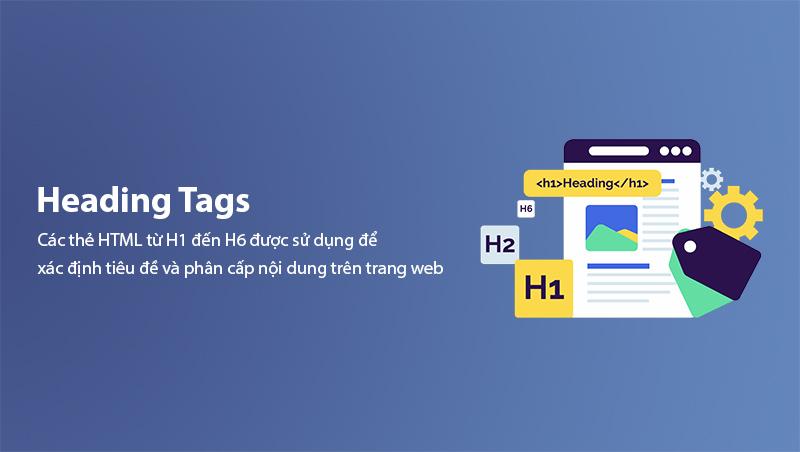
Heading tags are HTML elements ranging from H1 to H6 that define the headings and subheadings within a web page. Among them, H1, H2, and H3 are the most critical levels for SEO, helping search engines understand your content structure and primary topics.
When Googlebot crawls a page, it relies on heading tags to determine which content is most important and which sections support the main topic. A well-structured heading hierarchy not only makes your site more search-engine-friendly but also significantly improves user experience (UX).
Note: Heading tags are different from Title Tags. The title tag appears on the browser tab and in search results (SERP), while heading tags are displayed directly within your page content. Check out our detailed guide on SEO Title Tags to understand the difference.
Heading Tag Levels Explained
| Tag | Role | Frequency |
|---|---|---|
| H1 | Main page title, describes the overall topic | Once per page |
| H2 | Level-1 subheading, divides content into major sections | Multiple / based on length |
| H3 | Level-2 subheading, breaks down H2 sections further | Multiple / based on length |
| H4 - H6 | Deep-level headings, rarely used in standard blog posts | When deeper hierarchy is needed |
Why Are Heading Tags Important for SEO?
1. They help Google understand content structure
Google uses heading tags as a table of contents for your page. When the bot reads your H1, it immediately knows the main topic. The subsequent H2 and H3 tags tell the bot which specific aspects are being covered. Without heading tags, Google struggles to determine content focus and relevance.
2. They improve user experience
Readers typically scan an article before deciding to read it fully. Clear heading tags help them quickly locate the information they need. Well-structured headings reduce bounce rate and increase dwell time. Learn more about how UX affects rankings in our Bounce Rate guide.
3. They boost Featured Snippet opportunities
Google often pulls content from heading tags to display as Featured Snippets (position zero) in search results. Articles with question-based headings followed by concise answers have a higher chance of claiming this prime real estate. Read our complete Featured Snippet guide to optimize for this opportunity.
4. They support overall Onpage SEO
Heading tags are a core component of Onpage SEO. Combined with clean URLs, optimized meta descriptions, and strategic internal linking, proper heading tags create a solid Onpage foundation that drives higher rankings.
How to Use H1 Tags for SEO
Use only one H1 per page
This is the most important rule. Each page should have exactly one H1 tag. Using multiple H1 tags confuses Google about which topic is the primary focus of your page.
Include your primary keyword in H1
Your main keyword should appear naturally within the H1. For example, if your article is about "Heading Tags SEO," your H1 could be: "What Are Heading Tags? How to Use H1, H2, H3, H4 for SEO Success".
Make H1 accurately describe the page content
Avoid vague or clickbait H1 tags. Your H1 must accurately reflect what readers will find on the page. Misleading H1 tags increase bounce rate and damage user trust.
Keep H1 at a reasonable length
While there is no hard character limit, aim for 20-70 characters to keep your H1 clear, compelling, and scannable.
| Criteria | Do | Don't |
|---|---|---|
| Count | 1 H1 per page | Multiple H1 tags on one page |
| Keywords | Include primary keyword naturally | Keyword stuffing |
| Length | 20-70 characters | Too short or too long |
| Content | Accurately describes the topic | Vague or misleading |
How to Use H2 Tags for SEO
H2 is the backbone of your article
H2 tags divide your article into major sections, each covering a specific aspect of the overall topic. Every H2 should represent a distinct idea and be relatively independent from other H2 sections.
Include LSI keywords in H2
Using Latent Semantic Indexing (LSI) keywords in your H2 tags helps Google better understand the context and depth of your content. Our detailed guide on LSI Keywords explains how to find and use them effectively.
Optimal number of H2 tags
For articles between 1,500-3,000 words, aim for 5-10 H2 tags. Too few H2 tags make your article look unstructured, while too many create fragmentation and confusion.
Example of a strong H2 structure:
- H2: "What Are Heading Tags?"
- H2: "Why Are Heading Tags Important for SEO?"
- H2: "How to Use H1 Tags for SEO"
- H2: "How to Use H2 Tags for SEO"
- H2: "Common Heading Tag Mistakes to Avoid"
How to Use H3 Tags for SEO
H3 breaks down H2 content
H3 tags provide deeper detail within a single H2 topic. For example, under H2 "How to Use H2 Tags for SEO," you might have:
- H3: "Include LSI Keywords in H2"
- H3: "Optimal Number of H2 Tags"
Never skip heading levels
One of the most critical mistakes is jumping from H1 → H3 without an H2 in between. This breaks the hierarchical structure and confuses Google about the relationship between content sections.
Proper heading hierarchy:
H1: Main Title
├── H2: Major Section 1
│   ├── H3: Detail 1.1
│   └── H3: Detail 1.2
├── H2: Major Section 2
│   ├── H3: Detail 2.1
│   │   └── H4: Detail 2.1.1
│   └── H3: Detail 2.2
└── H2: Major Section 3
This structure not only helps Google understand content hierarchy but also makes it easy for readers to follow the information flow. Learn more about connecting sections with our Internal Link guide.
Heading Tags and Semantic SEO
Semantic SEO is an optimization strategy based on meaning and context rather than just keywords. Heading tags play a vital role in semantic SEO by helping Google determine:
- Primary topic (via H1)
- Related subtopics (via H2, H3)
- Topic relationships (via hierarchical structure)
When you use heading tags correctly in combination with TF-IDF analysis and Content Clusters, Google will recognize your article as having strong topical authority and rank it higher. Our guide on Content Clusters explains how to build a comprehensive content strategy.
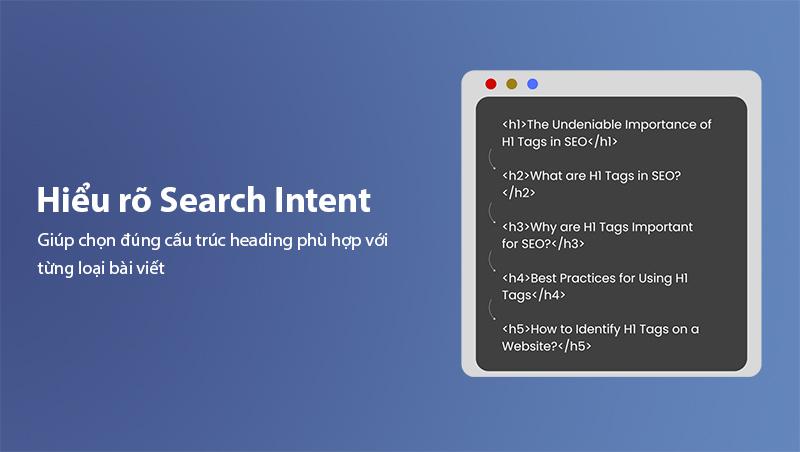
Optimizing heading tags for Search Intent
Your heading structure should adapt based on search intent:
| Search Intent | Recommended Heading Structure |
|---|---|
| Informational | Question-based H2 (What is? Why? How to?) |
| Commercial | Comparison, review, and top-list H2 |
| Transactional | Buying guide, feature, and pricing H2 |
| Navigational | Brand and product-specific H2 |
Understanding Search Intent helps you choose the right heading structure for each article type. Read our complete guide on Search Intent.
Common Heading Tag Mistakes to Avoid
Mistake 1: Multiple H1 tags on one page
This is the most frequent mistake. Some WordPress themes automatically add H1 tags to logos or sidebar widgets, while the article already has its own H1. The result is 2-3 H1 tags on the same page, diluting the signal for Google.
Fix: Inspect your page HTML and ensure only one H1 tag exists. Use H2 or standard <div> tags for other titles.
Mistake 2: Skipping heading levels (H1 → H3 → H2)
Skipping levels breaks the logical hierarchy. Google expects headings to follow the order: H1 → H2 → H3 → H4.
Fix: Always maintain proper hierarchy. If you need more detail, go H2 → H3 instead of jumping H1 → H3.
Mistake 3: Headings without relevant keywords
Using headings purely for decoration without including primary or LSI keywords is a missed SEO opportunity.
Fix: Ensure each heading naturally contains primary keywords or related semantic keywords.
Mistake 4: Keyword stuffing in headings
Some SEO practitioners over-optimize by cramming too many keywords into headings, making them sound unnatural and spammy.
Fix: Write for readers first, Google second. Headings should be natural, compelling, and easy to read.
Mistake 5: No headings at all
Some pages consist entirely of long paragraphs without any heading tags. This makes it extremely difficult for both Google and users to understand the content structure.
Fix: Always add heading tags for major content sections. A good rule of thumb is to include an H2 every 200-300 words.
Mistake 6: Overly long headings
Headings that stretch to 200 characters defeat the purpose of scannability. Long headings are hard to read and lose their structural benefit.
Fix: Keep headings under 70 characters when possible. If a heading needs to be longer, consider splitting it into multiple subheadings.
Mistake 7: Hiding headings with CSS
Some SEO practitioners hide headings using CSS to stuff keywords without showing them to users. This is a black hat SEO technique that can result in severe Google penalties.
Fix: Never hide headings. Every heading must be visible to both users and search engines.
Best Practices: 10 Golden Rules for SEO-Friendly Heading Tags
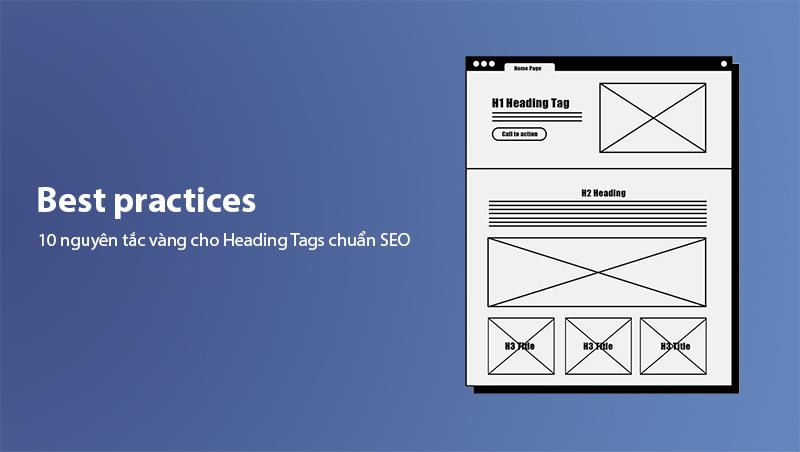
Here are 10 rules to follow when optimizing your heading tags:
- One H1 per page only - No exceptions
- Follow proper heading hierarchy - H1 → H2 → H3 → H4
- Use keywords naturally - Primary + LSI keywords
- Headings must accurately describe the content below
- Optimize for Featured Snippets - Question + short answer format
- Keep headings concise - Under 70 characters for main headings
- Avoid keyword stuffing - Google penalizes this heavily
- Maintain consistency - Same style throughout the article
- Audit headings with tools - Use SEO Meta in 1 Click, Ahrefs, or Google Search Console
- Combine with Schema Markup - Add Article schema for better results
Pro tip: If you use WordPress, check out our WordPress SEO guide to learn how to configure heading tags correctly with Yoast SEO or Rank Math.
How to Audit Heading Tags with SEO Tools
1. SEO Meta in 1 Click
This browser extension lets you view the complete heading structure of any website with a single click. It displays a full list of H1, H2, H3 tags and alerts you about any errors or missing elements.
2. Ahrefs Webmaster Tools
Ahrefs' free tool provides a comprehensive site audit report, including heading tag analysis across your entire website. Read more about Ahrefs.
3. Google Search Console
This is our detailed guide on Google Search Console. Use the HTML Improvements report to find pages with missing or duplicate heading tags.
4. Screaming Frog SEO Spider
This SEO Spider tool crawls your entire website and generates detailed heading tag reports, including missing H1 tags, duplicate H1 tags, and invalid hierarchical structures. Read our complete guide: What is Screaming Frog?.
Frequently Asked Questions About Heading Tags
Should H1 match the Title Tag?
They don't have to match exactly, but they should be closely related. The title tag appears on SERP and is designed to attract clicks, while the H1 appears on the page to confirm the content. Both should contain your primary keyword. See our SEO Onpage guide for more details.
Should I use H4, H5, H6 tags?
Use them when your content requires more than three levels of hierarchy. For most blog posts, H1 → H2 → H3 is sufficient. H4, H5, H6 are typically used in long technical documentation or complex tutorials.
How many H2 tags should an article have?
It depends on article length, but 5-10 H2 tags is a reasonable range for articles between 1,500-3,000 words. Each H2 section should contain at least 200-300 words of supporting content.
Do heading tags affect CTR?
Indirectly, yes. Headings improve content structure and readability, which reduces bounce rate and increases dwell time. These engagement signals indirectly influence rankings and click-through rates.
Conclusion
Heading tags (H1, H2, H3, H4) are among the most important Onpage SEO elements that every content writer needs to master. A proper heading structure not only helps Google understand and rank your content higher but also delivers an excellent reading experience for your audience.
Remember:
- H1 - Defines the main topic, use once
- H2 - Divides content into major sections
- H3 - Breaks down details within H2 sections
- Always maintain proper hierarchy - Never skip levels
- Optimize for both readers and search engines
For a complete website SEO audit, use our SEO Checklist. If you want to explore other Onpage optimization techniques, read our in-depth SEO Onpage guide.
Start today: Open your most recent article and audit its heading structure. Are you following all 10 golden rules?
Comments
0 Comment(s)
Loading...
Latest Posts

Web Design by Province and City: Vietnam Location Guides
Browse RiverLee's Vietnam web design guides by province and city, with location-specific advice on business models, scope, costs, local SEO and acceptance.

Vung Tau Web Design for Tourism and Local Businesses
A Vung Tau web design guide for tourism, services, and B2B companies covering structure, features, costs, local SEO, delivery, and acceptance testing.

Quang Ngai Web Design for Tourism, Industry and B2B
Quang Ngai web design for Ly Son tourism, accommodation, local products, and Dung Quat B2B: structure, features, pricing, process, and QA checklist.

Ninh Binh Web Design for Tourism and Local Businesses
Ninh Binh web design for heritage tourism, accommodation, and businesses: content structure, features, pricing, local SEO, process, and acceptance checks.
Related Posts

Local SEO for Buon Ma Thuot Businesses: A Complete Guide (2026)
A comprehensive Local SEO guide for businesses in Buon Ma Thuot — Google Business Profile optimization, local landing pages, Zalo/Messenger integration, local link building from BMT directories, and measuring results.

SEO Cost 2026: How Much Does SEO Service Cost Per Month?
How much does SEO cost per month in 2026? SEO service pricing by package from 1–5 million VND, cost factors, DIY vs hiring an agency and a checklist before signing a contract.

What is Content Pillar? SEO Content Strategy Guide 2026
Discover what a Content Pillar is and how to build an effective SEO content strategy. A detailed guide covering pillar characteristics, structure, the creation process, and KPI tracking for your website in 2026.

What is Wix SEO? How to Optimize a Wix Website for Google Rankings
What is Wix SEO? A complete guide to optimizing your Wix website across technical SEO, on-page optimization, content strategy, Wix SEO Tools, schema markup, and Google Search Console. Help your Wix site rank higher on Google in 2026.
