
Why Choose NextJS Over WordPress for Complex Projects? An In-Depth Analysis
- Published on






WordPress currently powers over 40% of all websites worldwide — a staggering number. But when your project demands high performance, strict security, and a seamless user experience, WordPress begins to show its limitations. That's where NextJS — a modern React framework — becomes a compelling alternative.
This article isn't about bashing WordPress or promoting NextJS. Its goal is to help you understand the true nature of each solution so you can make the right decision for your actual project.
How WordPress Works — And Where It Falls Short
The Traditional PHP Architecture
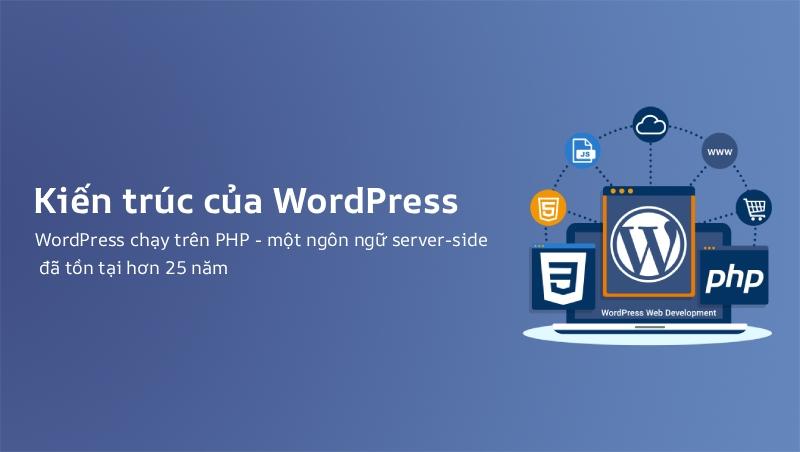
WordPress runs on PHP — a server-side language that has existed for over 25 years. When a user visits a WordPress page:
- Server receives request → executes PHP → queries MySQL → generates HTML → sends it to the browser
- Browser renders HTML + loads additional JavaScript for interactions
This process works well for static content and small to medium websites. But when a site has hundreds of pages, thousands of products, or needs real-time data processing, every request must re-run the entire PHP cycle — causing slowdowns and straining server resources.
Real-World WordPress Limitations
Performance:
- Every plugin you install adds database queries and loads extra JavaScript/CSS
- Heavy themes with unnecessary features slow down page load times
- Shared hosting often lacks resources for high-traffic websites
Security:
- WordPress is the most popular open-source CMS → the #1 attack target
- Vulnerabilities from plugins and third-party code cause most WordPress hacks
- You must continuously update the CMS, plugins, and themes to patch security flaws
Scalability:
- When complex features are needed (real-time data, API integrations, custom workflows), you must rely on plugins or custom code — both increase complexity and risk
Learn more about WordPress in What is WordPress or What is CMS.
How NextJS Works
Modern React Architecture
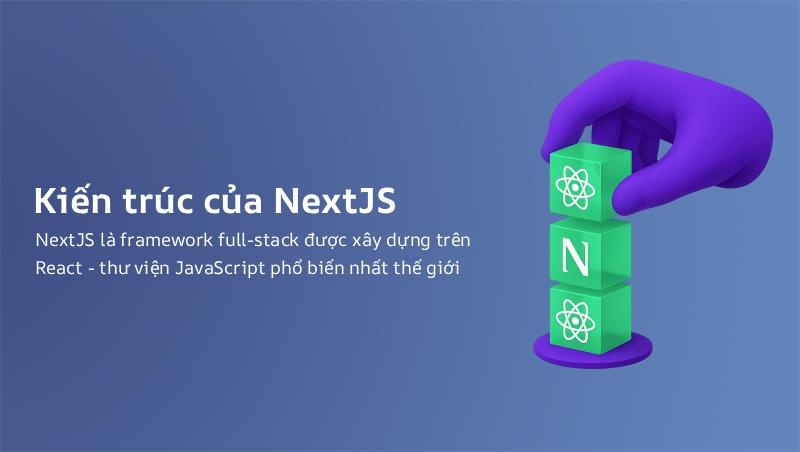
NextJS is a full-stack framework built on React — the world's most popular JavaScript library. Unlike WordPress, which runs entirely on the server, NextJS combines Server-Side Rendering (SSR), Static Site Generation (SSG), and Client-Side Rendering (CSR) within a single application.
Three Main Rendering Methods
1. Static Site Generation (SSG):
- HTML is pre-built at build time
- Website loads extremely fast because the server only serves static files
- Best for: blogs, landing pages, documentation, portfolios
2. Server-Side Rendering (SSR):
- HTML is generated fresh at each request on the server
- Content is always up-to-date while still being SEO-friendly
- Best for: personalized pages, dashboards, e-commerce with real-time pricing
3. Client-Side Rendering (CSR):
- JavaScript runs on the user's browser
- Best for: complex interactions that happen after the page loads
Dive deeper into rendering methods in What is SEO for ReactJS.
Detailed Comparison: NextJS vs WordPress
1. Performance and Page Speed
| Factor | WordPress | NextJS |
|---|---|---|
| Initial page load speed | Average (depends on hosting, plugins, theme) | Very fast (static HTML or optimized SSR) |
| Core Web Vitals | Hard to optimize with many plugins | Easy to score high with full rendering control |
| Server resources | High (PHP + MySQL per request) | Low (SSG: static files; SSR: smart caching) |
| CDN capability | Limited (needs plugins like WP Rocket) | Built-in (Vercel, Netlify, Cloudflare Pages) |
In practice: A WordPress site with 50 plugins might take 3-5 seconds to load the first page. The same features on NextJS typically load in under 1 second.
2. SEO
| SEO Factor | WordPress | NextJS |
|---|---|---|
| SSR/SSG for SEO | Not default (needs plugins or caching) | Default — Google crawls full HTML |
| Speed impact on SEO | Slow if poorly optimized | Fast by default — ranking advantage |
| Meta tags, Schema | Easy via plugins (Yoast, Rank Math) | Full code-level control |
| URL structure | Depends on permalinks | Fully configurable via file-based routing |
Read more about React SEO in SEO for ReactJS Websites.
3. Security
WordPress is the #1 attack target because:
- Open-source code → vulnerabilities are publicly disclosed quickly
- Third-party plugins have no quality control
- Many sites run outdated versions without security patches
NextJS is more secure because:
- No public "admin panel" like WordPress
- No dependency on a third-party plugin ecosystem
- Can deploy on serverless (Vercel, AWS Lambda) to reduce attack surface
- Server-side code is never exposed to the client
Learn more about website security.
4. Scalability
| Factor | WordPress | NextJS |
|---|---|---|
| Adding new features | Plugins or custom code | Component-based — add like building blocks |
| Handling large datasets | MySQL — slow with large datasets | Connect to any DB/API — PostgreSQL, MongoDB, Firebase... |
| API integration | REST API available but limited | Built-in API Routes — REST, GraphQL, tRPC |
| Multi-language support | Needs plugins (WPML, Polylang) | next-intl, built-in i18n routing |
5. Implementation and Operating Costs
| Cost | WordPress | NextJS |
|---|---|---|
| Upfront cost | Low ($150 - $500) | Higher ($500 - $3,000+ depending on complexity) |
| Annual hosting | $25 - $250/year | Free tier (Vercel) or $25 - $150/year |
| Maintenance cost | High (plugin updates, security patches) | Low (fewer third-party dependencies) |
| Scaling cost | Increases quickly (premium plugins, hosting upgrades) | Predictable (scales with actual demand) |
See more hosting cost comparisons in Hosting Price Comparison.
When Should You Choose WordPress?
WordPress remains the best choice in these scenarios:
1. Blogs and personal content:
- WordPress was designed for blogging — its post, category, and tag management is mature and intuitive
- The admin interface is simple enough for anyone to use
2. Small business websites, service showcases:
- 5-20 static pages with no complex features needed
- Theme + plugins are more than sufficient
3. Limited budget:
- Lowest possible implementation cost
- Abundant freelancer and agency support for WordPress
4. Non-technical teams:
- Marketing and content staff can manage the site without developers
See our WordPress Complete Guide if you decide to go with this platform.
When Should You Choose NextJS?
NextJS becomes the superior choice when:
1. Performance is a mandatory requirement:
- Website must load under 2 seconds
- Core Web Vitals must achieve maximum scores
- High traffic volume (hundreds of thousands of visits/month)
2. Complex feature requirements:
- E-commerce with thousands of products and advanced filtering
- Admin dashboards with real-time data
- Web applications with real-time features (chat, notifications, live updates)
3. Security is a priority:
- Website handles sensitive data (finance, healthcare, legal)
- Full control over server-side code is required
4. Multi-language projects:
- Website needs 2+ languages with separate URLs
- International SEO with accurate hreflang tags
5. External ecosystem integration:
- Connecting to CRM, ERP, payment gateways, shipping APIs
- Building micro-frontends or modular architecture
RiverLee uses NextJS for this very website — see details at Business Website Design.
Real-World Case Study: Why RiverLee Chose NextJS
The website you're reading is built with NextJS + MDX — not WordPress. Here's why:
1. Bilingual blog with 260+ articles:
- 262 Vietnamese posts + 263 English posts
- Each article has a unique slug, mapped through a
slug-mappings.tssystem - NextJS handles multilingual routing with extreme efficiency via
next-intl
2. International SEO:
- Accurate hreflang tags for every page
- Dynamic sitemap auto-generated for both languages
- Clear canonical URLs with no duplicate content
3. Performance:
- Blog uses SSG — static HTML, blazing fast
- All Core Web Vitals achieve maximum scores
- Hosted on Vercel — free tier, zero hosting costs
4. Extensibility:
- Easy to add new languages (just add a JSON dictionary file)
- New articles require only creating an MDX file — no code changes needed
- Schema markup and structured data integration is straightforward
Quick Comparison: What Should You Choose?
| If you need... | Choose WordPress | Choose NextJS |
|---|---|---|
| Simple blog, easy management | Best fit | — |
| Small business website | Best fit | — |
| Large e-commerce, high performance | — | Best fit |
| Dashboard / Complex web app | — | Best fit |
| Multilingual international SEO | Difficult (needs plugins) | Best fit |
| Strict security requirements | Requires significant effort | Best fit |
| Non-technical team | Best fit | Needs developers |
| Budget under $500 | Best fit | Difficult (requires upfront investment) |
Conclusion
WordPress remains an excellent platform for blogs, small business websites, and projects with limited budgets. Don't rush to abandon WordPress just because you've heard NextJS is better.
NextJS becomes the superior choice when your project demands high performance, strict security, complex features, and long-term scalability. If you're building a serious digital product — especially large e-commerce, SaaS, or multilingual portals — NextJS is the strategic choice.
Most importantly: don't choose a tool just because it's trendy. Choose what fits your actual requirements, budget, and team capabilities.
If you need consultation on choosing the right platform, contact RiverLee — we have experience implementing both WordPress and NextJS for real-world projects.
Related tags:
NextJSWordPressFramework ComparisonComplex Web ProjectsWebsite PerformanceSEOReactWeb DevelopmentComments
0 Comment(s)
Loading...
Latest Posts

Web Design by Province and City: Vietnam Location Guides
Browse RiverLee's Vietnam web design guides by province and city, with location-specific advice on business models, scope, costs, local SEO and acceptance.

Vung Tau Web Design for Tourism and Local Businesses
A Vung Tau web design guide for tourism, services, and B2B companies covering structure, features, costs, local SEO, delivery, and acceptance testing.

Quang Ngai Web Design for Tourism, Industry and B2B
Quang Ngai web design for Ly Son tourism, accommodation, local products, and Dung Quat B2B: structure, features, pricing, process, and QA checklist.

Ninh Binh Web Design for Tourism and Local Businesses
Ninh Binh web design for heritage tourism, accommodation, and businesses: content structure, features, pricing, local SEO, process, and acceptance checks.
Related Posts
Web Design by Province and City: Vietnam Location Guides
Browse RiverLee's Vietnam web design guides by province and city, with location-specific advice on business models, scope, costs, local SEO and acceptance.
Vung Tau Web Design for Tourism and Local Businesses
A Vung Tau web design guide for tourism, services, and B2B companies covering structure, features, costs, local SEO, delivery, and acceptance testing.
Quang Ngai Web Design for Tourism, Industry and B2B
Quang Ngai web design for Ly Son tourism, accommodation, local products, and Dung Quat B2B: structure, features, pricing, process, and QA checklist.
Ninh Binh Web Design for Tourism and Local Businesses
Ninh Binh web design for heritage tourism, accommodation, and businesses: content structure, features, pricing, local SEO, process, and acceptance checks.
